Writing examples

Deep researched content your customers love to read

Three complete articles, one per industry, written for fictional businesses so we never publish a customer's content without permission. This is the quality every customer gets, every day.

https://yourwebsite.com/blog/article
Physiotherapy clinic · Example Physiotherapy ClinicSearch term: lower back pain from sitting · 1,793 words · Created: Sep 13, 2026

"Your Money Your Life"-Compliant Content

We're extra careful with health topics. We focus on helping YOUR business get MORE business, NEVER medical self-diagnosis.

How to Fix Lower Back Pain From Sitting: A Physiotherapist's Guide

If you spend most of your day at a desk, you already know the feeling. By mid-afternoon a dull ache settles into the lower back, standing up takes a second longer than it should, and by evening you are stretching in the kitchen hoping something clicks. Lower back pain from sitting is one of the most common complaints we see at Example Physiotherapy Clinic, and the good news is that for most people it is also one of the most fixable.

This guide explains why sitting loads the lower back the way it does, what you can change today, and when it is time to book an assessment rather than keep experimenting on your own. It is written as general education, not as a diagnosis. If your pain is severe, came on after an injury, or comes with numbness, weakness or changes in bladder or bowel control, contact a clinician or emergency services before trying anything below.

Key Takeaways

  • Sitting is not "bad" for your back, but sitting in one position for hours without moving is. The spine and its supporting muscles are built for variety.
  • Most desk-related lower back pain is mechanical: it comes from sustained postures, weak or tired trunk muscles and stiff hips, not from structural damage.
  • Small, frequent movement breaks reduce pain more reliably than a single long stretch at the end of the day.
  • A chair and desk set-up that lets you change position matters more than any single "correct" posture.
  • Persistent pain beyond two to three weeks, or pain with nerve symptoms, deserves a professional assessment.
Why Sitting Makes Your Lower Back Hurt

The load on your lumbar spine changes when you sit

When you stand, the natural inward curve of the lower back (the lumbar lordosis) shares the load between the discs, the small joints at the back of each vertebra and the surrounding muscles. When you sit, especially when you slump, that curve flattens. The pelvis tilts backwards, the discs at the base of the spine take more of the pressure, and the muscles that normally hold you upright switch off because the chair is doing the work.

None of this is dangerous in itself. Discs are resilient structures that tolerate pressure well. The trouble is duration. Tissue that is loaded in one direction for eight hours, five days a week, gets sensitised. It starts to complain earlier and louder each day.

Your hips stiffen and your glutes stop working

Sitting keeps the hip flexors at the front of the hip in a shortened position and the gluteal muscles at the back in a lengthened, inactive one. Over months this combination changes how you stand and walk. When the hips cannot extend fully, the lower back compensates by arching more, and that extra movement is often what people feel as pain when they finally stand up.

Fatigue, not weakness, is usually the real problem

Patients often tell us they have a "weak core". In our experience the trunk muscles are rarely weak in the way a gym test would show. They are tired. Holding a static posture is endurance work, and endurance drops sharply when muscles are not given short rests. This is why the single most effective change is usually not a new exercise but a new habit: moving more often.

What to Change Today

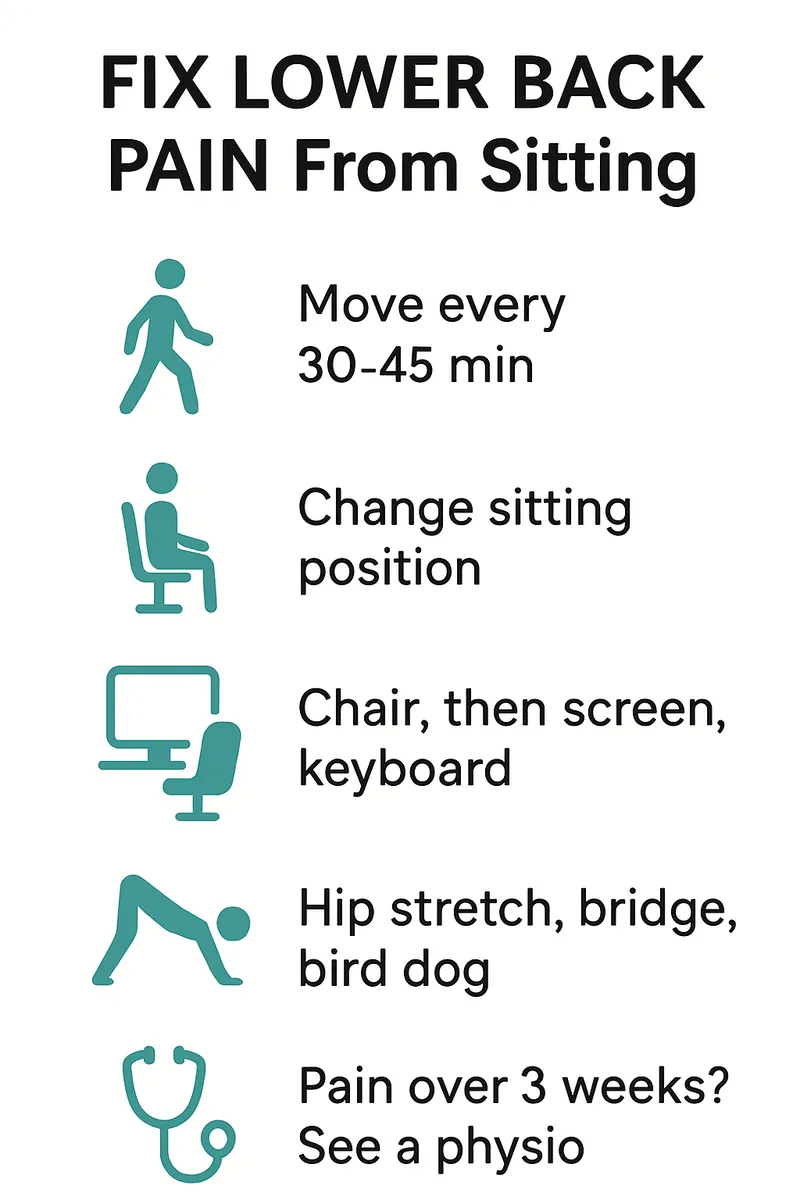
Break up sitting every 30 to 45 minutes

Set a timer. When it goes off, stand, walk to get water, or simply shift your weight and reach overhead for twenty seconds. The break does not need to be long. Research on sedentary workers consistently shows that frequent short breaks reduce reported discomfort more than fewer, longer ones.

If a timer feels intrusive, attach movement to something you already do: stand for every phone call, walk during the first minute of every meeting, or drink from a small glass so you have to refill it.

Sit in more than one position

There is no perfect posture. The best posture is the next one. A supportive chair should let you sit upright with your lower back gently curved, but it should also let you recline slightly, perch forward, and tuck one foot under you now and again. Variety spreads the load across different tissues, which is exactly what the spine wants.

Adjust your desk in this order

  1. Chair height: feet flat, knees at roughly hip height or slightly lower.
  2. Back support: the curve of the chair should sit in the small of your back. A rolled towel works if the chair has nothing.
  3. Screen height: top of the screen at eye level so you are not craning forward, which pulls the whole spine into flexion.
  4. Keyboard and mouse: close enough that your elbows stay by your sides.

A sit-stand desk helps, but only if you actually alternate. Standing all day creates its own problems.

Three exercises that help most people

These are gentle and safe for most people with non-specific lower back pain. Stop if anything sharpens the pain or sends it down the leg.

Seated pelvic tilts. Sit tall, then slowly roll the pelvis backwards so the lower back rounds, then forwards so it arches. Ten slow repetitions, three times a day. This restores the sense of movement in the lumbar spine that sitting takes away.

Hip flexor stretch. Kneel on one knee with the other foot forward. Tuck your tailbone under and gently shift forward until you feel a stretch at the front of the kneeling hip. Hold thirty seconds each side.

Glute bridge. Lie on your back with knees bent. Push through your heels and lift your hips until your body forms a straight line from shoulders to knees. Hold for two seconds and lower. Two sets of ten. This wakes up the gluteal muscles that sitting puts to sleep.

A Simple Daily Routine

| Time | Action | Why it helps | | --- | --- | --- | | Start of work | 2 minutes of pelvic tilts and a hip flexor stretch | Restores movement before the first long sitting block | | Every 30-45 min | Stand, walk or reach overhead for 20-60 seconds | Prevents tissue sensitisation from sustained load | | Lunch | 10-15 minute walk | Extends the hips and loads the spine in a different direction | | Mid-afternoon | Change chair position: recline or perch forward | Spreads load across different structures | | End of day | Glute bridges and a short walk | Rebuilds endurance in the muscles sitting switches off |

Consistency matters more than intensity. Two weeks of this routine is usually enough for most people to notice the afternoon ache arriving later or not at all.

Common Mistakes That Keep the Pain Going

Stretching harder instead of moving more

A long, aggressive hamstring stretch at 6 pm cannot undo eight hours of stillness. If stretching feels good, keep it, but treat it as a supplement to frequent movement rather than a replacement.

Buying a chair and expecting it to do the work

Expensive ergonomic chairs are comfortable, and comfort is worth something. But a chair cannot move for you. Patients who buy the chair and keep the same habits usually come back with the same pain.

Resting completely

Bed rest was standard advice decades ago. It is now known to slow recovery for most mechanical back pain. Gentle activity, including walking, is one of the most reliable treatments available and it is free.

Ignoring sleep and stress

Poor sleep lowers your pain threshold, and stress increases muscle tension around the trunk. If your back is worse during a difficult work period, that is not a coincidence. Addressing the whole picture usually helps the back too.

When to See a Physiotherapist

Most sitting-related back pain improves within a few weeks of changing habits. Book an assessment if:

  • The pain has lasted more than two to three weeks despite regular movement.
  • It wakes you at night or is worse when lying down.
  • It travels below the knee, or comes with pins and needles, numbness or weakness in the leg.
  • It started after a fall, lift or accident.
  • You have a history of osteoporosis, cancer or long-term steroid use.

Seek urgent medical care, not a physiotherapy appointment, if you notice numbness around the groin or inner thighs, difficulty controlling your bladder or bowel, or weakness in both legs. These are rare but need immediate attention.

At the clinic an assessment usually takes forty-five minutes. We look at how you sit, stand and move, test the strength and endurance of the muscles that support your spine, and check whether the nerves are involved. Treatment is mostly active: a short, specific exercise programme, advice on your set-up and, where useful, hands-on techniques to reduce stiffness so the exercises are easier to do.

Moving Toward a Pain-Free Workday

Lower back pain from sitting is a signal, not a sentence. Your spine is asking for variety, and once you give it regular movement and a little endurance work, it usually stops complaining. Start with the timer, add the three exercises, and give it two weeks. If the pain is still limiting you after that, we are here to help you find what is being missed.

Frequently Asked Questions

Is sitting on an exercise ball better than a chair?

For short periods it can encourage more small movements. For a full workday most people find it tiring and end up slumping anyway. A good chair used with frequent breaks is a more practical option.

Should I use a lumbar support cushion?

If your chair lacks lower back support, a small cushion or rolled towel is a cheap and effective fix. Just avoid one so large that it pushes you into an exaggerated arch.

Can walking really replace exercises?

Walking is one of the best things you can do for a sore lower back. It does not replace the specific exercises for hip mobility and glute endurance, but on days when you cannot fit anything else in, a brisk walk is far better than nothing.

How long until I notice a difference?

Most people feel the afternoon ache arriving later within one to two weeks of regular movement breaks. Endurance improvements from the exercises take four to six weeks.

Is my pain caused by a slipped disc?

Most sitting-related back pain is not. Disc-related pain typically has a different pattern, often with leg symptoms. Only an assessment can tell you, so if you are worried, book one rather than searching for answers online.

Does a standing desk fix the problem?

It gives you another position to alternate with, which is genuinely useful. Standing all day, however, produces its own aches. Aim to switch every thirty to sixty minutes.

https://yourwebsite.com/blog/article
Bookkeeping software · Example LedgerSearch term: cash flow forecast for startup · 1,646 words · Created: Sep 13, 2026

Cash Flow Forecast for a Startup: A Step-by-Step Guide for Founders

Ask ten founders what killed the startups they watched fail and most will say "they ran out of money". Ask them when those companies realised it and the answer is almost always "too late". A cash flow forecast for a startup is the tool that moves that realisation forward by months, when there is still time to act. It is not an accounting exercise for your investors. It is the instrument panel you fly by.

This guide walks through building a forecast you will actually use: what goes in, how to structure it, how far ahead to look and the mistakes that make most first forecasts useless within a fortnight. The examples use Example Ledger, a bookkeeping tool, but every step works in a spreadsheet.

Key Takeaways

  • A cash flow forecast tracks money in and out of the bank by date. It is different from a profit and loss statement, which records revenue and costs when they are earned or incurred.
  • Startups should forecast weekly for the next 13 weeks and monthly for the following 12 to 24 months.
  • The forecast is only as good as its assumptions. Write them down, review them every week and compare them with what actually happened.
  • Runway, the number of months until the balance hits zero, is the single figure every founder should know at all times.
  • Update the forecast when reality diverges from the plan, not on a fixed calendar.

What a Cash Flow Forecast Is (and Is Not)

Cash versus profit

A profitable startup can still go bankrupt. If you invoice a customer in January with 60-day terms, your profit and loss shows January revenue, but the cash arrives in March. Meanwhile payroll, rent and software subscriptions leave the account on the first of every month. The gap between earning and receiving is where companies get into trouble.

A cash flow forecast ignores accrual rules entirely. It answers one question: on each future date, how much money will be in the bank?

Why founders skip it

Most founders build a budget for their pitch deck and never touch it again. Budgets are annual, static and optimistic. Cash flow forecasts are rolling, frequently updated and, ideally, slightly pessimistic. They feel like admin. They are actually the highest-leverage hour of a founder's week.

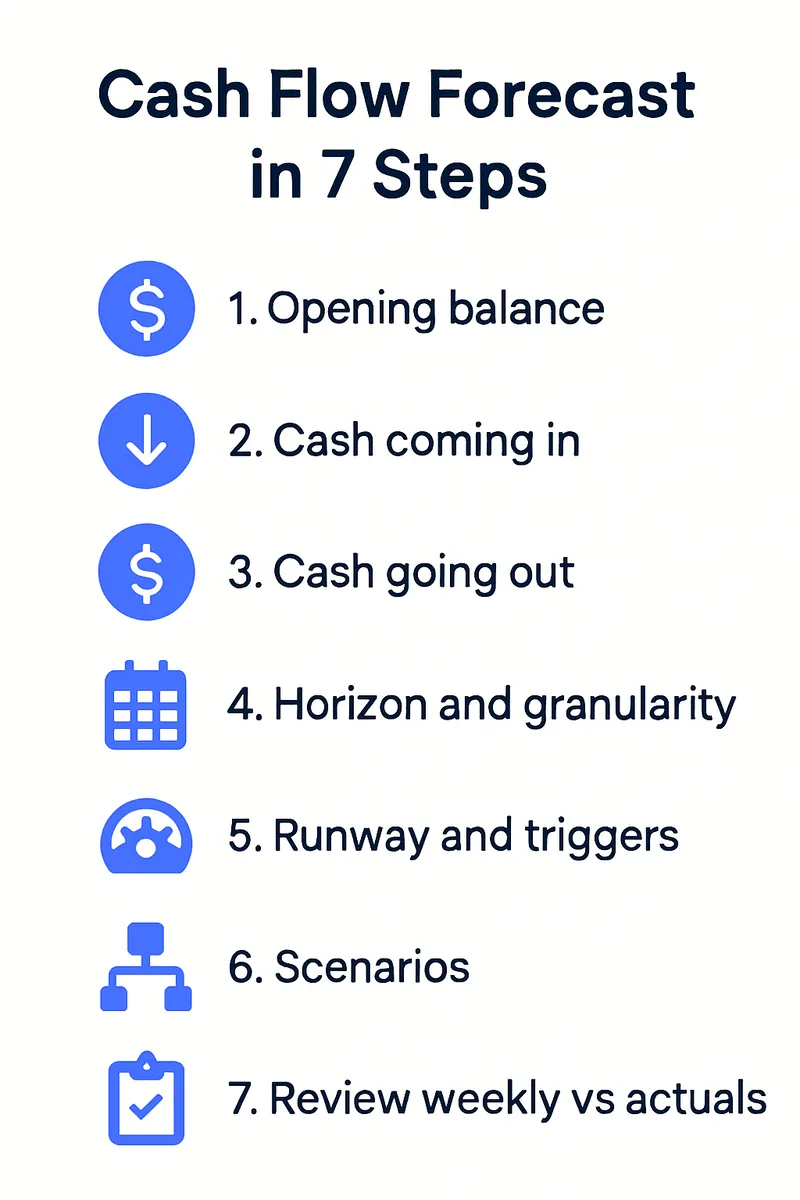
Step 1: Start With Your Opening Balance

Open your bank account and write down the balance today. If you hold cash across several accounts or currencies, list each one. This is the only number in the forecast that is a fact rather than an assumption, so make it accurate. Include any money held in payment processors that has not yet paid out, but note it separately: it is cash you cannot spend yet.

Step 2: Forecast Cash Coming In

Existing customers

List every customer and when their payments actually land. For subscriptions, that is usually the billing date plus the processor's payout delay. For invoiced work, use your real collection history, not the payment terms on the invoice. If customers pay on average 12 days late, forecast them 12 days late.

New customers

This is where optimism creeps in. Forecast new revenue from your pipeline, weighted by probability, and then delay it. A deal that "should close this month" typically closes next month and pays the month after. Founders who forecast pipeline conservatively are surprised on the upside, which is the only pleasant kind of surprise in cash planning.

Funding and other inflows

Include committed investment on the date the money is expected to arrive, not the date the term sheet is signed. Add grants, tax refunds and loan drawdowns on their realistic dates. Never include uncommitted funding in your base case. Put it in a separate scenario.

Step 3: Forecast Cash Going Out

Outflows are easier because most are known. Work through these categories:

  • Payroll: salaries, employer taxes, pension contributions and benefits, on the actual pay dates.
  • Contractors: on their invoice due dates, using your real payment behaviour.
  • Rent and office costs: monthly, usually in advance.
  • Software and infrastructure: annual renewals are the ones that surprise people. List every annual subscription with its renewal month.
  • Marketing: ad spend is usually billed in arrears; agency retainers in advance.
  • Taxes: VAT or sales tax, corporation tax and payroll tax deadlines. These are large, predictable and routinely forgotten.
  • Loan repayments and interest: on the schedule in the agreement.
  • One-off items: equipment, legal fees, deposits.

If you are unsure of an amount, estimate high. Over-forecasting costs makes you slightly more careful. Under-forecasting them makes you insolvent.

Step 4: Choose Your Horizon and Granularity

| Horizon | Granularity | Purpose | Update frequency | | --- | --- | --- | --- | | Next 13 weeks | Weekly | Avoid short-term cash crunches, time payments and collections | Weekly | | Months 4 to 12 | Monthly | Plan hiring, spending and the timing of a fundraise | Monthly | | Years 2 to 3 | Monthly or quarterly | Strategic planning and investor conversations | Quarterly |

The 13-week horizon is the standard used by turnaround professionals for a reason. It is long enough to see problems coming and short enough that the assumptions stay credible.

Step 5: Calculate Runway and Set Triggers

Runway is your closing balance divided by your average monthly net burn (cash out minus cash in). If you have 180,000 in the bank and burn 30,000 a month, you have six months. If your revenue is growing, use the forecast rather than the average, because the runway calculation will be more accurate and usually slightly longer.

Decide in advance what you will do at specific runway thresholds. For example:

  • Nine months: start fundraising conversations, because a round takes three to six months to close.
  • Six months: freeze non-essential hiring and review every subscription.
  • Four months: prepare a reduced-cost plan and be ready to execute it.

Writing these triggers down while you are calm prevents decisions being made in a panic later.

Step 6: Build Scenarios

Your base case is what you genuinely expect. Add at least two more:

  • Downside: new sales slip by two months, one large customer churns, a hire takes longer to become productive.
  • Upside: pipeline closes on time and a marketing channel performs.

The downside case is the one that matters. If the company survives the downside case without a funding event, you can make bold decisions from a position of safety. If it does not, you know exactly how much time you have to fix it.

Step 7: Review Weekly and Compare to Actuals

Every week, replace last week's forecast with what actually happened and roll the horizon forward. Look at the variance. A customer who paid late once is noise. A customer who pays late every month is a pattern that belongs in the forecast. Over three months your assumptions will tighten dramatically and the forecast will become something you trust.

Tools such as Example Ledger pull bank transactions in automatically and match them to forecast lines, which turns the weekly review from an hour into ten minutes. A spreadsheet works fine too, as long as you actually open it.

Mistakes That Make Forecasts Useless

Forecasting revenue on invoice date

The most common error. Revenue in the forecast must sit on the date the cash arrives, not the date you send the invoice.

Forgetting the lumpy items

Annual software renewals, quarterly tax payments and insurance premiums are individually small and collectively brutal. Go through last year's bank statement month by month and list everything that was not a regular monthly payment.

Treating the forecast as a target

A forecast is a prediction, not a goal. If you tweak it until it shows the company surviving, you have removed the only reason to build it.

Updating it only when investors ask

A forecast that is refreshed quarterly for a board meeting is a report. A forecast that is refreshed weekly is a control system. Only one of them keeps you alive.

From Anxiety to Control

Founders who forecast cash flow describe the same shift: the vague background anxiety about money becomes a specific number with a specific plan attached. You may not like the number, but you can act on it. Build the 13-week view this week, add the monthly horizon next week, and review it every Monday. Three months from now you will wonder how you ran the company without it.

Frequently Asked Questions

How far ahead should a startup forecast cash flow?

Weekly for 13 weeks and monthly for 12 to 24 months beyond that. Anything further out is a planning exercise rather than a forecast.

What is the difference between a cash flow forecast and a financial model?

A financial model projects the whole business, including profit and loss and balance sheet, usually for investors. A cash flow forecast focuses only on cash timing and is a day-to-day operating tool.

Should I forecast in my bank's currency or my customers' currency?

Forecast in the currency you pay most of your costs in and convert foreign receipts at a conservative rate. If foreign exchange is material, add a line for the expected cost of converting.

How do I forecast if I have no revenue yet?

Then your forecast is mostly outflows, which makes it simpler and more important. Your runway is your cash divided by your monthly costs, and the forecast tells you the exact month you need funding by.

How accurate should the forecast be?

Within 10 percent over 13 weeks is achievable after a few months of weekly reviews. Precision beyond that is not worth the effort; the value is in the trend and the early warning.

What tools do I need?

A spreadsheet is enough to start. As transaction volume grows, a bookkeeping tool that imports bank data and tracks forecast versus actual saves hours each month.

https://yourwebsite.com/blog/article
AI visibility analytics · Example InsightSearch term: track chatgpt recommendations · 1,509 words · Created: Sep 13, 2026

How to Track Whether ChatGPT Recommends Your Business: A Complete Guide

Something changed in the last two years that most business owners have not fully absorbed. When a potential customer wants a recommendation, a growing share of them no longer type a query into Google and scan ten links. They ask an assistant. "Which accounting software is best for a two-person agency?" "Who is a good physiotherapist near me?" "What is the most reliable analytics tool for a small e-commerce store?" The assistant answers with two or three names. If yours is not one of them, that customer never learns you exist.

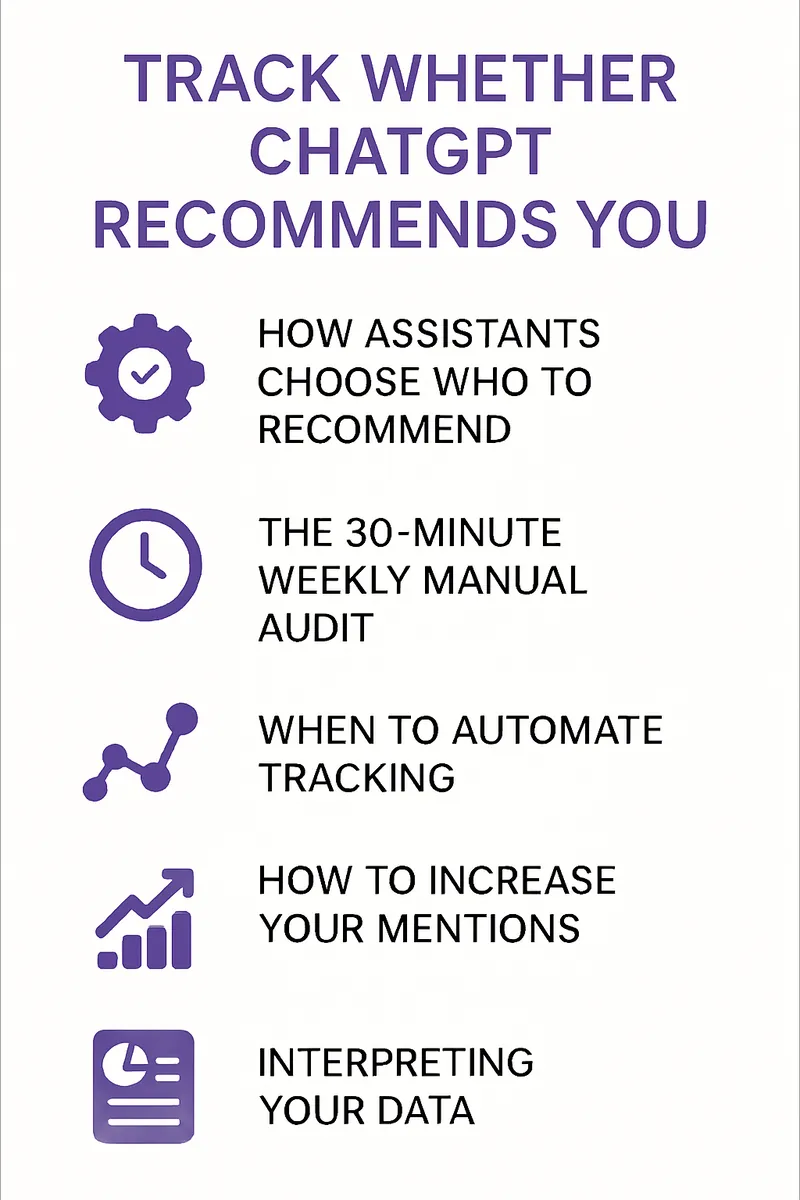
This guide explains how large language models decide which businesses to name, how to check whether yours is mentioned today, and how to build a repeatable process for tracking it over time. It uses Example Insight, an AI visibility analytics tool, for the automated examples, but everything in the manual section can be done with a notebook and thirty minutes a week.

Key Takeaways

  • Assistants such as ChatGPT, Perplexity and Google's AI Overviews do not invent recommendations. They synthesise what the open web already says, weighted by authority and relevance.
  • Your visibility in AI answers can be measured by asking a fixed set of prompts on a regular schedule and recording which brands appear.
  • Answers vary between users, sessions and model versions, so a single check tells you very little. Trends across many prompts tell you a lot.
  • The same two ingredients that improve AI visibility improve Google rankings: authoritative mentions from other sites and content that directly answers customer questions.
  • Automated tracking becomes worthwhile once you are monitoring more than a dozen prompts or more than one competitor.

How AI Assistants Choose Who to Recommend

Training data and live retrieval

Two mechanisms feed an assistant's answer. The first is training data, the vast snapshot of the web the model learned from. If your business was described consistently across many pages before the snapshot date, the model has a stable impression of you. The second is live retrieval: many assistants now search the web at answer time and cite what they find. This is why a recently published, well-structured page can appear in an answer within days.

The two signals that matter

Both mechanisms reward the same properties.

Authority: how often, and by whom, you are mentioned. A link from an industry publication, a citation in a local news piece, a review on a trusted directory. These act as votes that the model interprets as trust.

Answers: whether your site contains a page that directly addresses the question being asked. If someone asks how to choose a bookkeeping tool for freelancers and your site has a thorough guide on exactly that, you are a candidate for the answer. If your site only has a homepage listing features, you are not.

Why answers vary

The same prompt can produce different results for different people. Conversation history, phrasing, location and the model version all change the output. This is not a flaw in your measurement; it is a property of the system you are measuring. The practical response is to ask many variations and look at frequencies rather than single results.

Manual Tracking: The 30-Minute Weekly Audit

Build a prompt set

Write down 15 to 25 prompts a real customer might type. Group them by intent:

  • Category prompts: "best [your category] for [customer type]".
  • Problem prompts: "how do I [problem your product solves]".
  • Local prompts (if relevant): "[your service] in [your city]".
  • Comparison prompts: "[competitor] vs alternatives".
  • Brand prompts: "what do you know about [your business]".

Keep the wording fixed from week to week so results are comparable.

Run and record

Open a fresh session for each prompt so previous conversation does not influence the answer. Record three things per prompt: whether your brand is mentioned, in what position, and which competitors appear. A simple sheet with one row per prompt per week is enough.

Read the trend, not the week

After four weeks you will have a visibility rate: the percentage of prompts where you are named. That number, and its direction, is the metric. A single week where you drop out of two answers is noise. A month where your rate falls from 40 percent to 20 percent while a competitor rises is a signal.

Automated Tracking: When and How

Manual auditing works for a small prompt set. It breaks down when you want daily data, multiple assistants, several competitors or dozens of prompts. At that point an AI visibility tool such as Example Insight runs the prompt set on a schedule across ChatGPT, Perplexity and Google AI Overviews, records every brand mentioned and charts share of voice over time.

| Capability | Manual audit | Automated tracking | | --- | --- | --- | | Prompts per week | 15-25 | Hundreds | | Assistants covered | 1-2 | All major assistants | | Competitor tracking | A few, by hand | Every brand mentioned, automatically | | Sentiment and context | Notes only | Classified per mention | | Alerts on change | None | Immediate | | Time required | 30-60 minutes weekly | Minutes to review |

The value of automation is less about saving time and more about catching changes early. A competitor who publishes a strong comparison guide can displace you from answers within a fortnight. Weekly manual checks might catch that a month later. Daily automated checks catch it in days.

How to Increase Your Mentions

Publish pages that answer the questions

For each prompt in your set where you are absent, ask whether your site has a page that answers it. Usually it does not. Create one: a thorough, specific guide, written for the customer, with a clear structure and real information rather than marketing copy. This is the single highest-impact action available.

Earn mentions from other sites

Assistants trust businesses that other trusted sources talk about. Guest articles on industry sites, listings in reputable directories, partnerships that produce a mention on a partner's blog, and press coverage all count. Quantity matters less than relevance and credibility.

Be consistent about who you are

Make sure your business name, category, location and core offer are described identically across your site, social profiles and directories. Inconsistency confuses both search engines and language models.

Keep publishing

Authority compounds. A site that publishes one useful article a week for a year looks, to a model, like an expert. A site with three articles from 2022 looks like a hobby. Frequency is a signal in itself.

Interpreting Your Data

A few patterns are worth knowing:

  • Present in category prompts but absent in problem prompts: your brand is known, but your content does not answer customer questions. Publish guides.
  • Present in brand prompts only: the model knows you exist but has no reason to recommend you. Earn third-party mentions.
  • Mentioned with inaccurate details: the web contains outdated or wrong information about you. Correct it at the source: your own site, directories and any prominent pages that describe you.
  • A competitor rising quickly: look at what they published recently. It is almost always a specific page or a burst of coverage you can learn from.

Owning Your AI Narrative

You cannot control what an assistant says about you, but you can shape it. Everything a model learns about your business comes from the public web, and the public web is something you can add to every day. Start with the weekly audit to establish a baseline, fix the gaps it reveals with real content and real mentions, and move to automated tracking when the prompt set outgrows the spreadsheet. The businesses that show up in AI answers a year from now are the ones measuring and publishing today.

Frequently Asked Questions

Can I see which users were shown a mention of my business?

No. Assistants do not expose per-user data. You can only measure what the assistant says when you ask, which is why a fixed prompt set and regular sampling matter.

How often should I check?

Weekly is a sensible manual cadence. Daily is worthwhile once you are automated and competing in a fast-moving category.

Does being mentioned by ChatGPT improve my Google ranking?

Not directly. Conversations inside an assistant are not indexed. But the work that earns AI mentions, authoritative links and helpful content, is exactly what improves Google rankings, so the two move together.

If an assistant says something wrong about my business, can I get it removed?

Not directly. The fix is to correct the source material on the web that the model learned from or is retrieving. Over time the answers follow the sources.

Are results the same in ChatGPT, Perplexity and Google AI Overviews?

No. Each uses different retrieval methods and models. Track them separately; a strong position in one does not guarantee the others.

How long does it take to appear in answers after publishing?

For assistants using live retrieval, a well-structured page can be cited within days of being indexed. Changes to the model's underlying impression of your brand take months and follow the accumulation of mentions across the web.

Want this for your website?

Articles like these, written for your business, published every day.

Start Your Trial

3 days to test everything. Cancel anytime.

  • ✓ 1 article/day + backlinks
  • ✓ Hero image + infographic on every article
  • ✓ Founding customers: $99/mo locked for life